One workspace for content that earns its place.
Geoffice reads your website, maps the subjects you should own, researches and writes each page from what you know, checks its key claims, and publishes connected clusters. A person approves every page, unless you switch on Autopilot for the pages that pass every check.
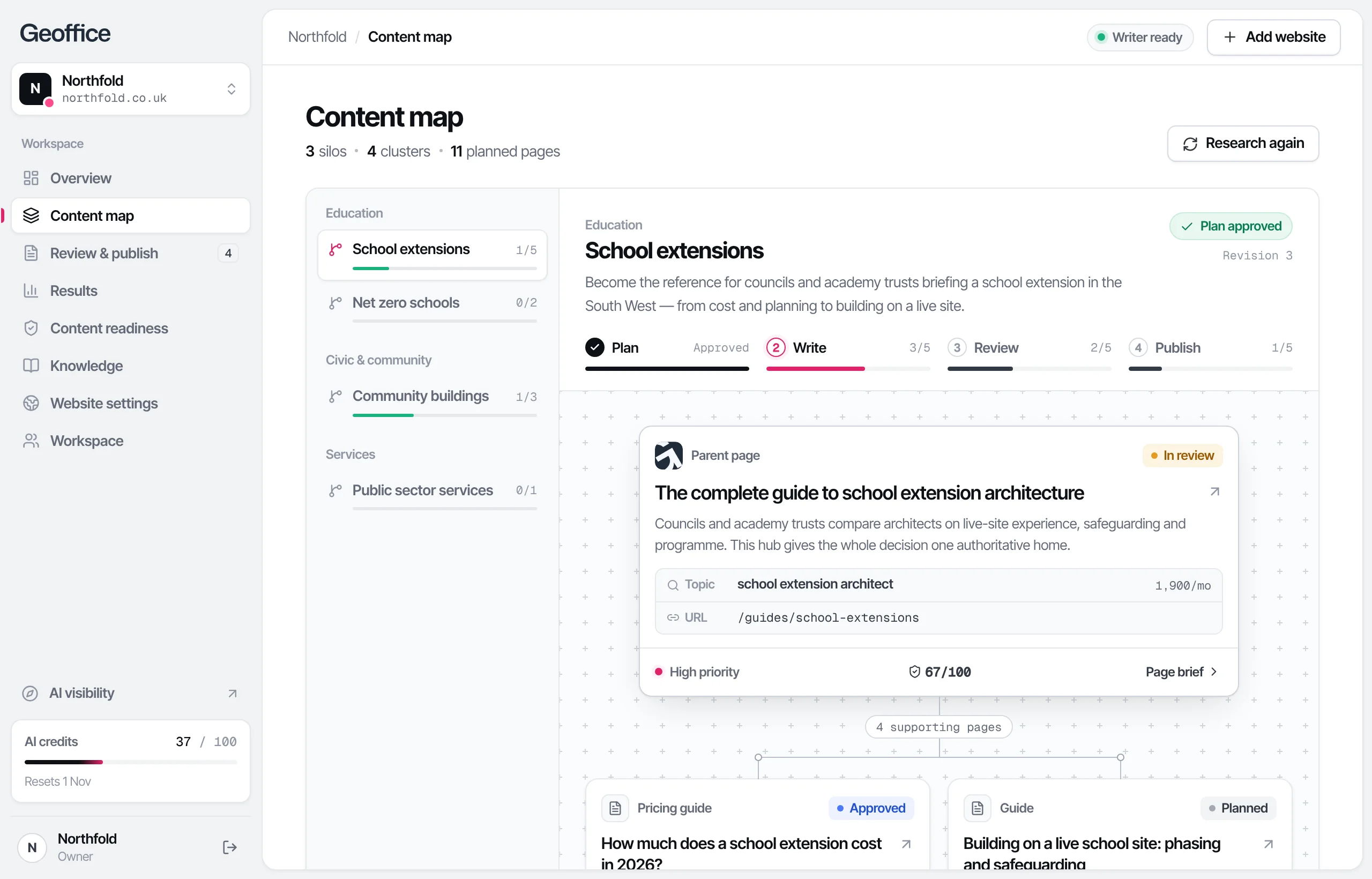
Six steps, one record of every decision.
Each step hands the next one something concrete: a plan, a brief, a draft, a verdict, a published page, a measurement. You can stop at any step and pick up exactly where you left off.
- 01
Read
Geoffice reads your sitemap and public pages, then pre-fills a business profile for you to complete and confirm.
- 02
Map
It proposes clusters of two to six pages, each with a search topic, a purpose and a planned URL. You approve the structure.
- 03
Write
Pages are researched and drafted in order, parent first, using your confirmed knowledge and live sources.
- 01
Check
Editorial checks test claims against sources and flag what blocks approval. Clients can review a saved revision.
- 02
Publish
Approved revisions go live on your own domain or in WordPress, Webflow or Shopify, parent page first, or out as HTML, Markdown and JSON.
- 03
Measure
Readiness, AI visibility and search performance show what is complete, what is cited and what to do next.
Search engines and AI assistants lean on websites that cover a subject completely and show their sources. Geoffice is built around that idea, and around the person whose name is on the work.
Plan the subject before the first page.
Most websites grow one post at a time. Geoffice starts from the whole subject: the silos your business covers, the clusters inside them, and the parent and supporting pages each cluster needs.
- Built from your website
- Pages you already have are kept or improved rather than written twice.
- A brief for every page
- Search topic, purpose and planned URL, editable before writing starts.
- Approved as a structure
- The plan is versioned. Writing follows the revision you approved.
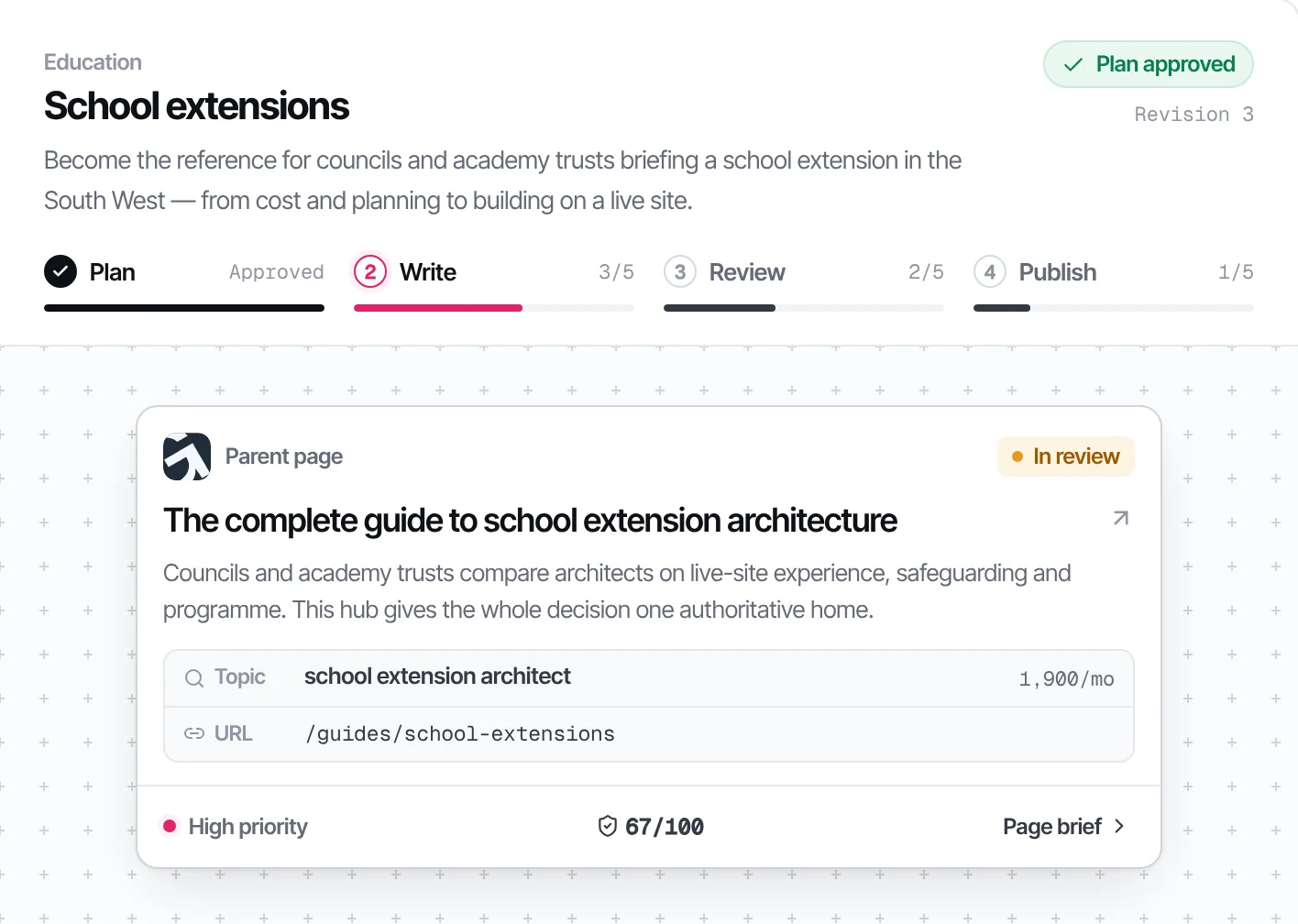
Drafts that know your business.
The writer works through a cluster in order, with the parent and sibling pages as context. It draws on what you have confirmed first, and on live research for the rest.
- Your voice and audience
- The business profile sets who you write for and how you sound.
- Sources stay attached
- Every source used is saved with the page, ready to open and inspect.
- A proper editor
- Headings, lists, tables and links, with each saved revision kept.
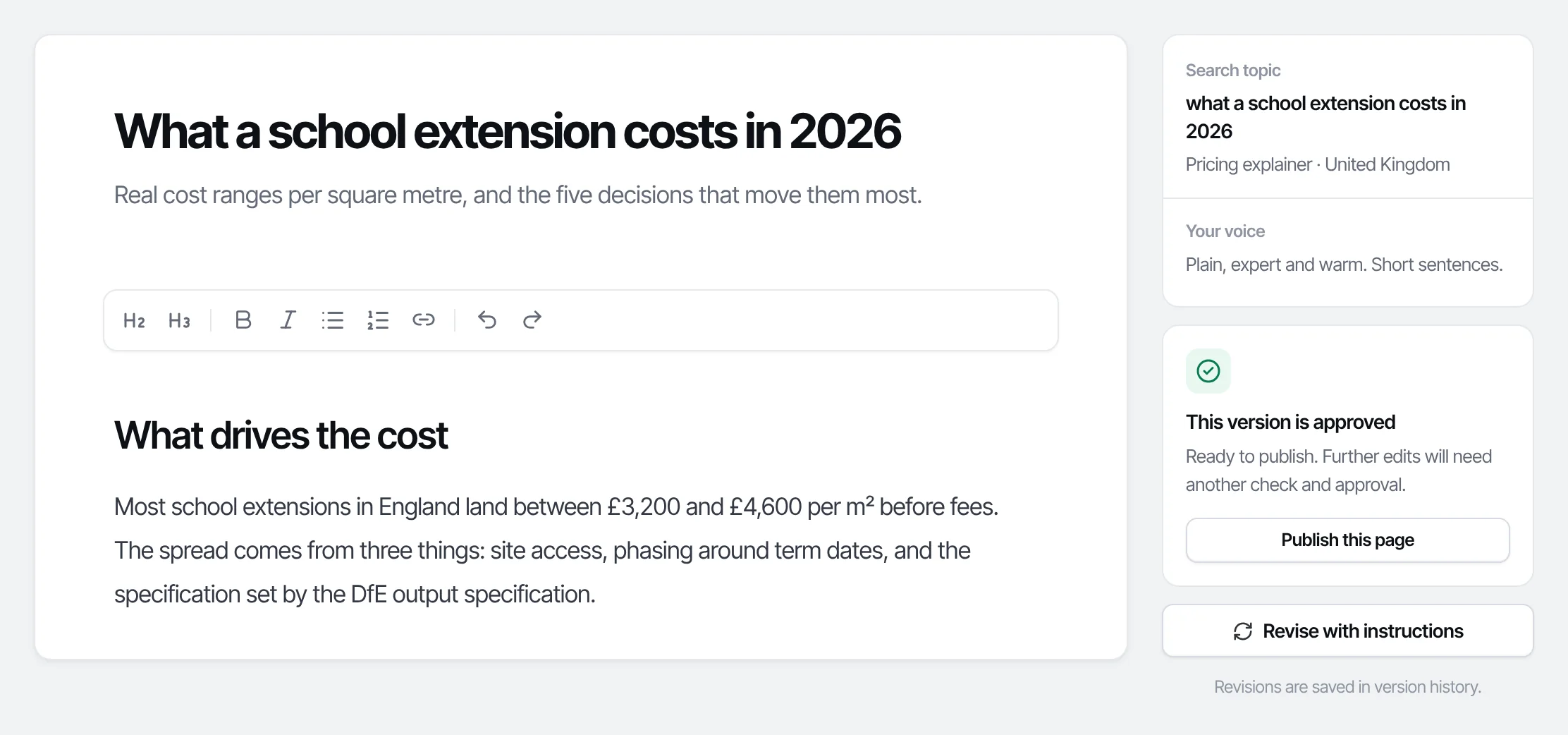
Key claims checked before you approve.
Editorial checks read a saved revision against its topic and its sources. Unsupported claims and failed checks block approval until they are fixed and checked again.
- Claims tied to evidence
- Each claim is marked as supported or needing review.
- Questions, not guesses
- Missing facts come back to you as questions you can answer.
- Approval is exact
- Approval belongs to one revision. Edit it and it needs approving again.
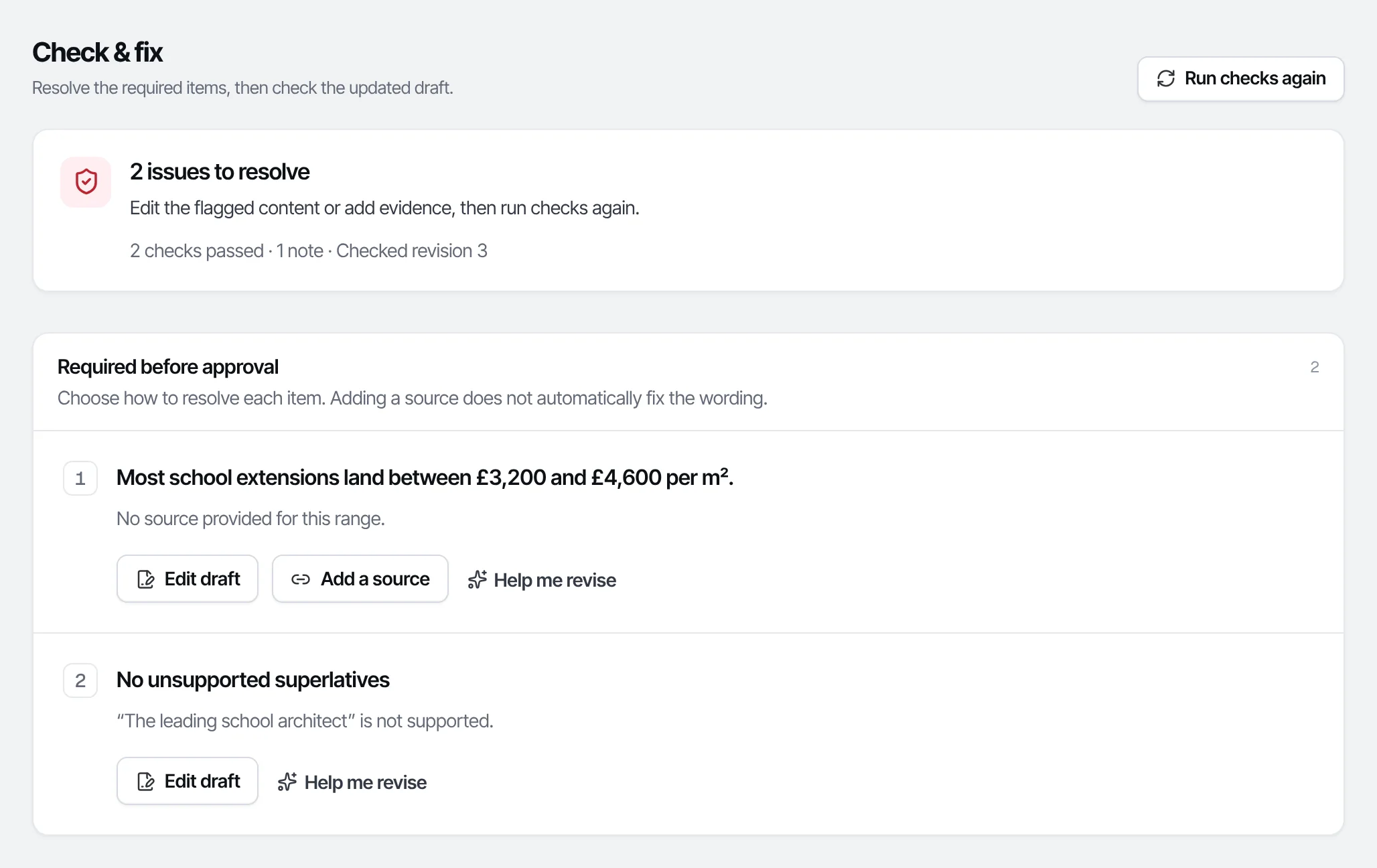
Everything a cluster needs, in one place.
Each capability has its own page with the detail. They share one plan, one record of sources and one approval trail.
Content map
Silos, clusters and page briefs mapped from your website.
Learn moreResearch & writing
Source-backed drafts in your voice, a cluster at a time.
Learn moreKnowledge
The facts, cases and opinions only your business has.
Learn moreEditorial checks
Claims tested against sources before approval.
Learn morePublishing
Your own domain, WordPress, Webflow, Shopify or the API, parent pages first.
Learn moreContent readiness
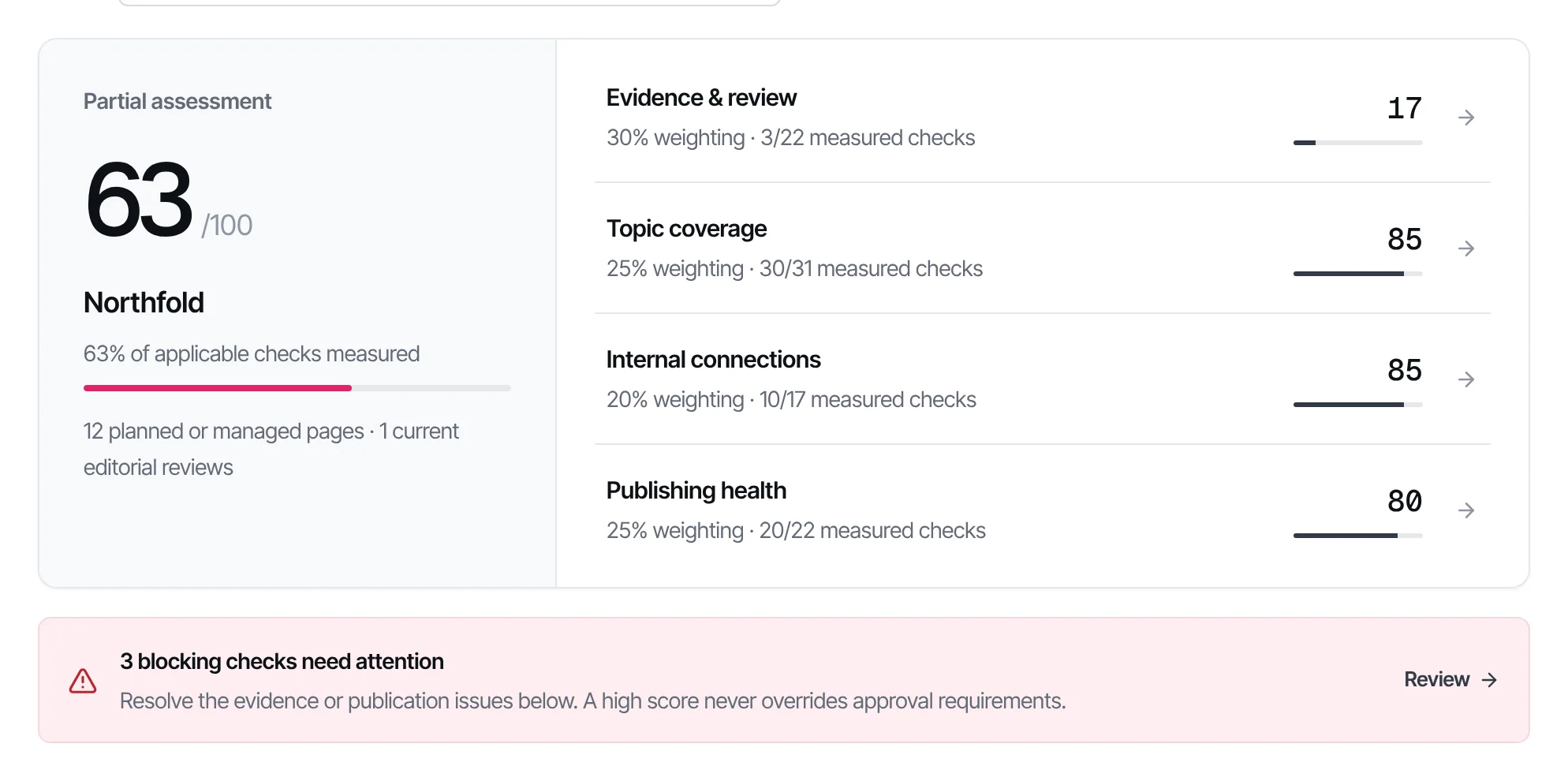
A transparent checklist score across every page.
Learn moreAI visibility
Mentions and citations in ChatGPT, Claude, Gemini, Perplexity, Copilot and Google’s AI answers.
Learn moreResults
Search performance, next steps and client reports.
Learn moreMeasured honestly, not flattered.
Geoffice reports what it can actually observe. The readiness score shows how much of it was measured. AI visibility counts only answers that completed. Search performance comes from your own Search Console data.
- Coverage shown with every score
- Unknown checks are excluded, never counted as passes.
- Evidence you can open
- Recorded AI answers and their citations are kept for inspection.
- No promised rankings
- Search engines and AI systems decide what to show. We say so.
Find the right fit
Become the source.
Add your website and see what seven AI assistants say about you today, then have your first pages written. Seven days free, no card needed.