Every client’s content, one careful process.
Plan, write, review and publish for each client in a workspace of its own. Every client gets the same careful process, sign-off happens through a private link, and every page carries its sources and its approval.
Scale the work without lowering the bar.
More content usually means more risk: unsupported claims, missed approvals, links that go nowhere. Geoffice makes the careful way the default way.
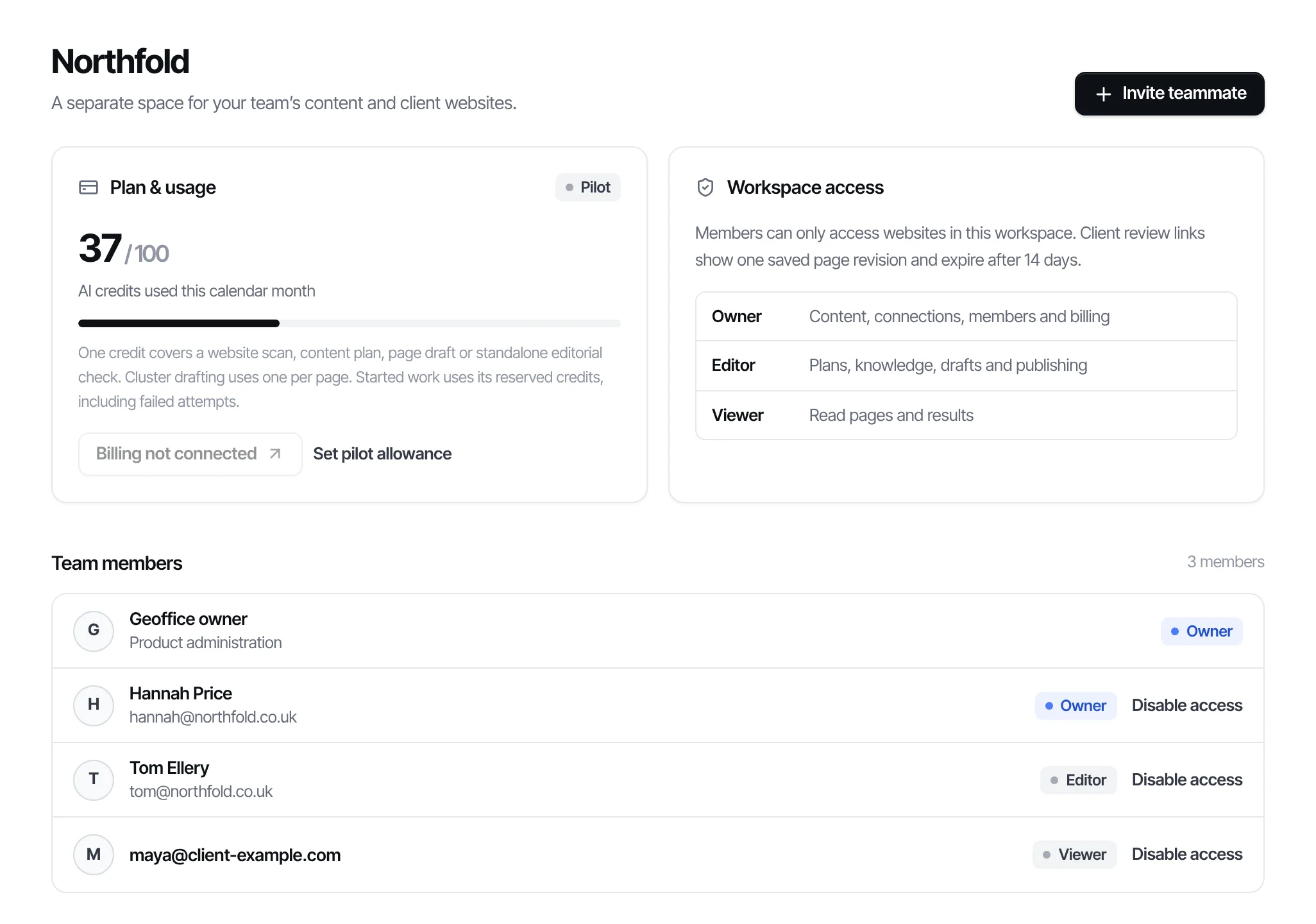
A workspace per client
Each client’s websites, knowledge, team and usage are kept apart. A website belongs to exactly one workspace, set up with us.
Roles for everyone
Owners manage connections, members and billing. Editors plan, write, approve and publish. Viewers read pages and results.
Client sign-off built in
Share one saved revision through a private link. A pending or declined review holds that revision back from publishing.
One standard of readiness
The same checklist score across every client, so you can see where each account stands.
Reports you can send
Download a client report with performance, managed pages and open recommendations.
Clients’ credentials protected
WordPress and data connections are encrypted on our server and never included in exports.
Sign-off without the email chain.
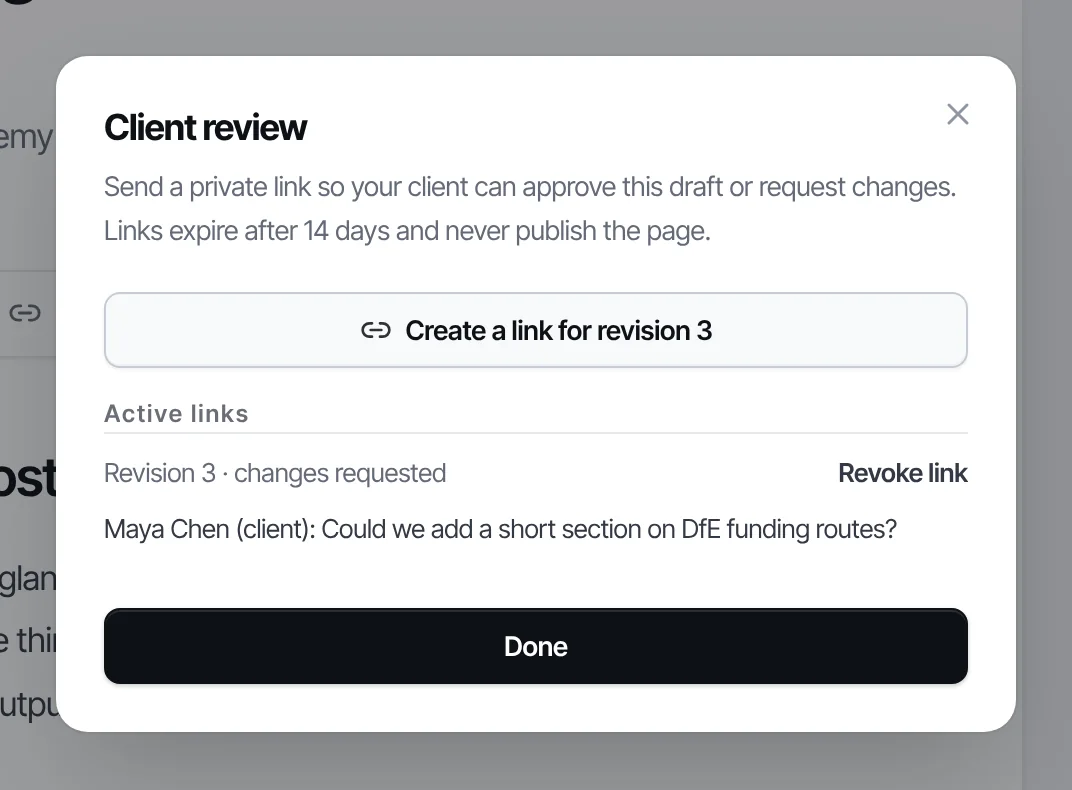
Send your client a link to the exact revision you want approved. They read it as it will appear, then approve it or request changes. Their response is recorded with the page and the revision it applies to.
- Nothing to install, no account needed
- Clients open the link, add their name and respond.
- One revision at a time
- If the page changes, the old link shows it has been superseded.
- Expires in 14 days
- Revoke any link early. Links never publish anything.
From onboarding to monthly report.
- 01
Set up the workspace
Add the client’s website. Geoffice reads it and pre-fills their business profile for you to complete with them.
- 02
Gather what they know
Interview the client once and record their expertise, facts, case studies and rules in the knowledge base.
- 03
Agree the map
Review the proposed clusters with the client, adjust the briefs, then approve the plan.
- 04
Build, review, publish
Draft each cluster, resolve the checks, collect sign-off and publish to their website.
Your name is on the work you deliver. Geoffice keeps a record of who approved what, and on what evidence.
Show progress your client can understand.
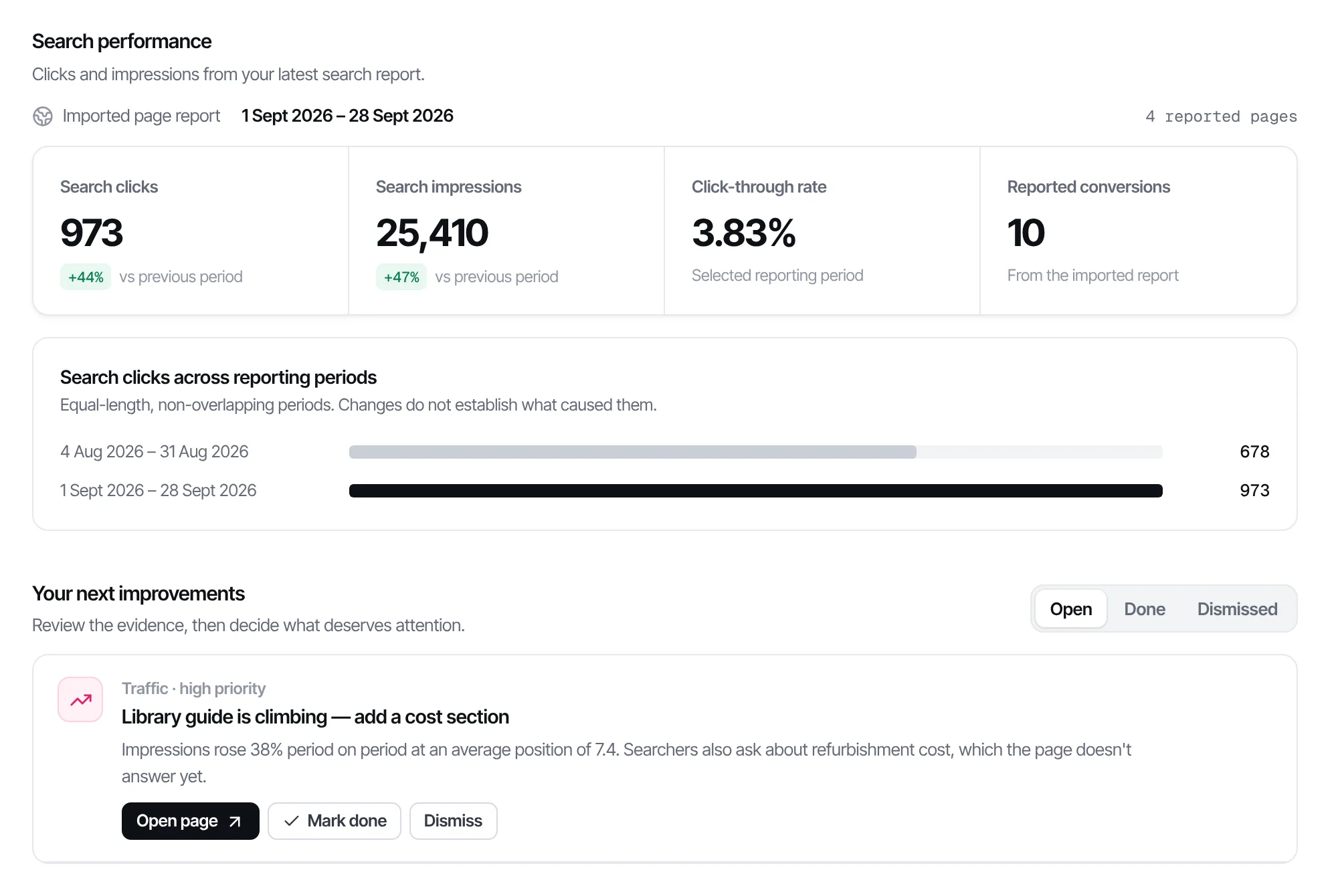
Results brings each client’s Search Console data alongside the pages you manage. Compare equal periods, work through specific improvements, and download a report for the monthly meeting.
- Like-for-like comparisons
- Equal, non-overlapping periods from the same source.
- Readiness across accounts
- One transparent score, with coverage, for every client.
- AI visibility on Agency plans
- Mentions and citations in AI assistants for the questions your client cares about.
Questions, answered.
More in the full list of questions, or ask us directly.
How are clients kept separate?
Each client has its own workspace with its own websites, knowledge, members and credit allowance. A sign-in belongs to one workspace, so team members who work across several clients use a separate invitation for each.
Can clients log in?
Yes, if you invite them. Give them a viewer role to read pages and results, or simply send review links when you need sign-off.
How do credits work across clients?
Each client workspace has its own monthly allowance, which we set with you and can adjust as your work for each client changes.
Can we white-label Geoffice?
Not yet. Client review pages and reports are clean and focused on the client’s content, but they carry the Geoffice name.
Do you offer a pilot?
Yes. We set up an agency pilot with one or two client workspaces so your team can run a real cluster before committing.
Explore further
Plan an agency pilot.
Tell us about your clients and we’ll set up a pilot workspace for your team. Leave your email and we’ll be in touch.