What only you know, in every page.
Generic content comes from generic inputs. The knowledge base holds your expert answers, business facts, case studies, writing examples and rules, and only the records you confirm ever reach a draft.
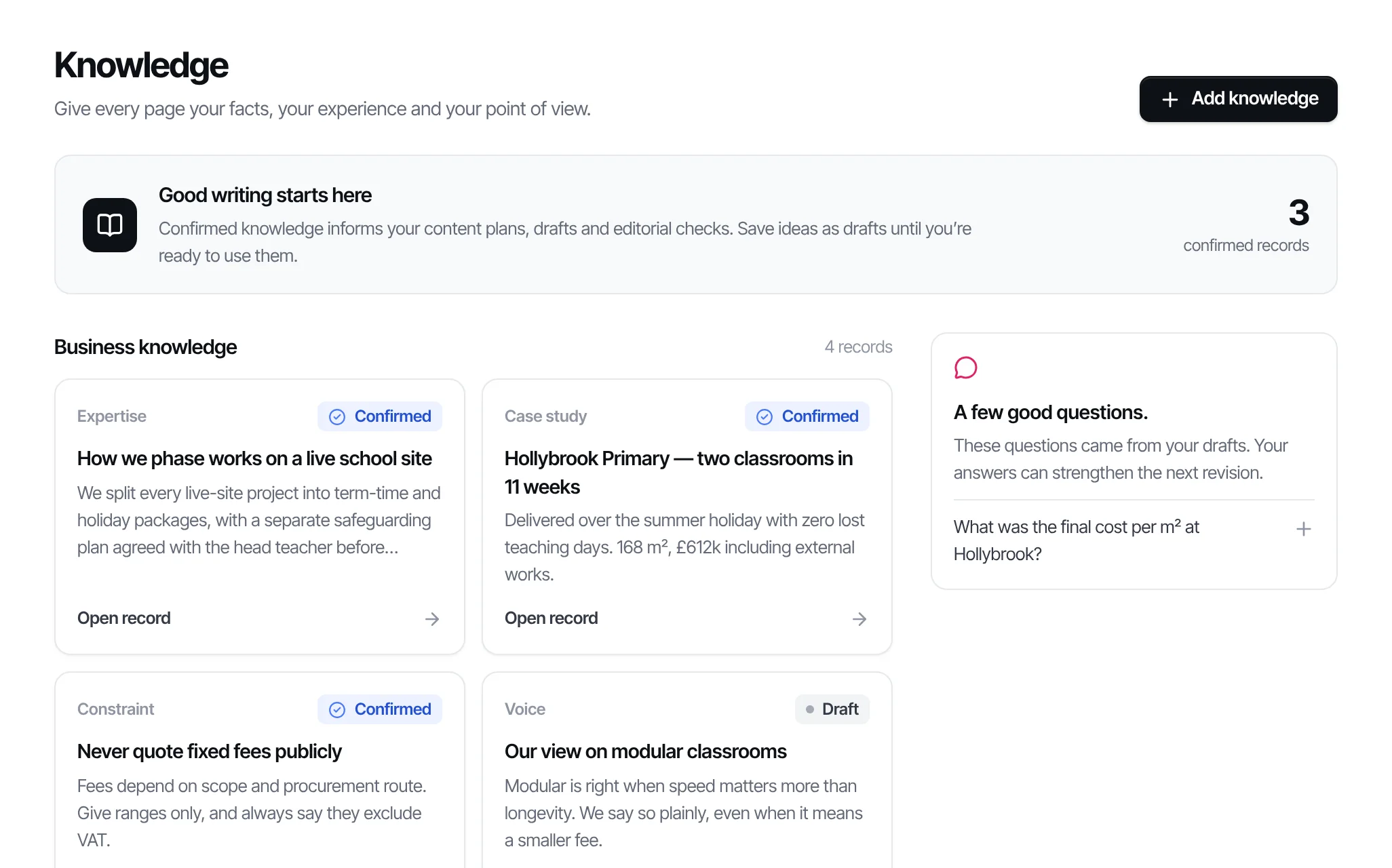
Each record has a job to do.
Records are short and specific. A good one answers a question a customer actually asks, or stops the writer making a mistake you have seen before.
Expert answers
How you actually approach a problem, in your own words. The writer builds explanations around them.
Business facts
Services, locations, credentials, processes. The details that make a page specific to you.
Case studies
Real projects and outcomes, so pages can point to evidence rather than promises.
Writing examples
Passages that sound like you. They teach the writer your rhythm and vocabulary.
Rules and things to avoid
Claims you never make, prices you never quote, words you never use. The writer is instructed to follow them.
Questions from drafts
Facts the writer needed but didn’t have, collected for you to answer once and reuse everywhere.
Nothing reaches a page because it was typed somewhere once. A record is used only after someone confirms it is accurate.
Draft first. Confirm when it’s right.
Save ideas as drafts while you work on them. Confirming a record is an explicit step: you tick that it is accurate and may be used in your content. From then on it guides plans, drafts and editorial checks.
- Import what you already have
- Import a text or Markdown file as a record instead of retyping it.
- Source links where they matter
- Attach the page a fact came from, so it can be checked later.
- Recent records first
- The most recently updated confirmed records are the ones the writer sees.
Every draft makes the next one better.
- 01
The writer asks
When a draft needs a fact it doesn’t have, it leaves the gap and records a question.
- 02
You answer
Questions gather in the knowledge base and beside the draft. Answer once, in your words.
- 03
Every page benefits
Confirmed answers become records, and every later plan, draft and check can use them.
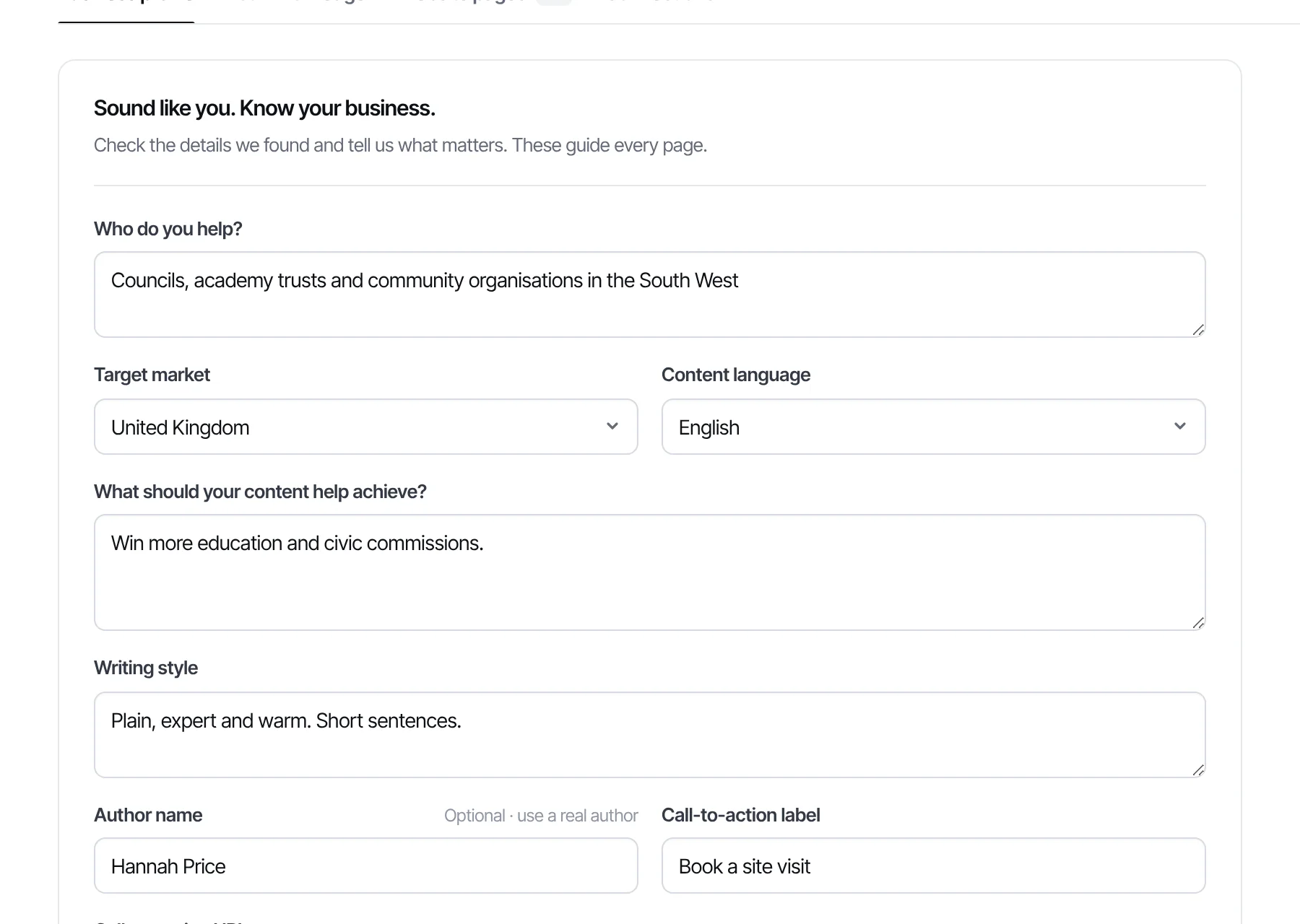
The profile sets the frame.
Alongside the knowledge base, your business profile records who you help, the market and language you write for, what your content should achieve, your writing style, the author’s name and your call to action. Geoffice pre-fills what it can from your website; you complete and confirm it before any planning begins.
Questions, answered.
More in the full list of questions, or ask us directly.
How much knowledge do I need to start?
None, strictly. Geoffice pre-fills your profile from your website. But the more specific your knowledge base, the less generic your pages. A dozen good records make a visible difference.
Who can add or confirm records?
Owners and editors. Viewers can read the knowledge base but not change it.
Is my knowledge shared with clients in review links?
No. A review link shows the page and its list of sources, nothing else from your workspace.
Can I remove a record?
Yes. Delete it at any time, and future drafts and checks will no longer use it.
Keep exploring
Become the source.
Add your website and see what seven AI assistants say about you today, then have your first pages written. Seven days free, no card needed.