Plan the whole subject before the first page.
The content map turns your website and your business knowledge into silos, clusters and pages, each with a reason to exist. You review the structure, change what you like, and approve it before anything is written.
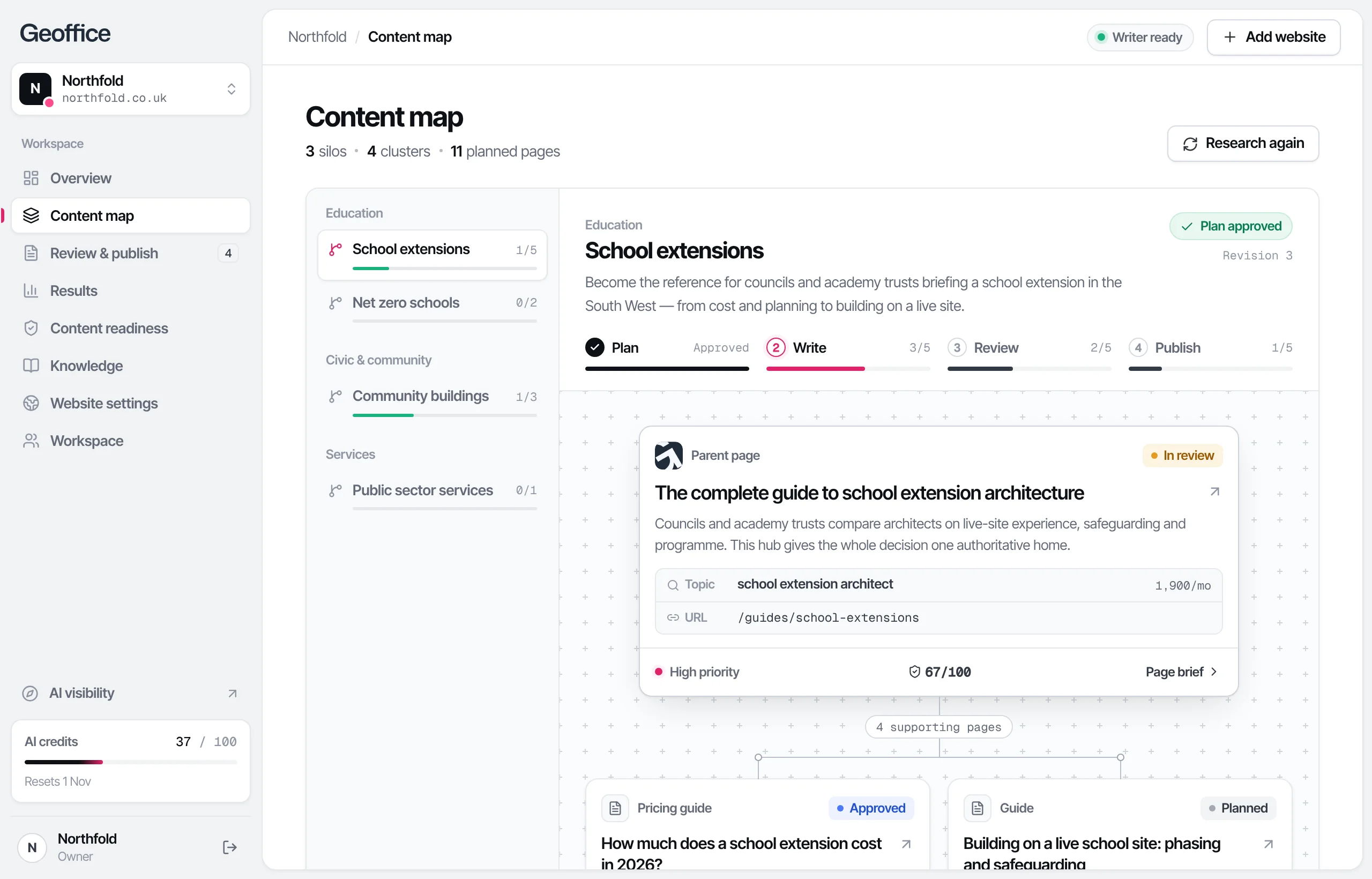
Silos, clusters, parent pages and the pages that support them.
A silo is a subject your business owns. A cluster is one question space inside it, led by a parent page that links to the supporting pages around it. The map keeps every page in its place.
Silos
The broad subjects your business is known for, taken from your services, your audience and the pages you already have.
Clusters
A parent page with its supporting pages. Each page answers one part of the subject and links to the others.
Planned URLs
Every page gets a proposed path that follows your site’s conventions, checked for collisions before it is approved.
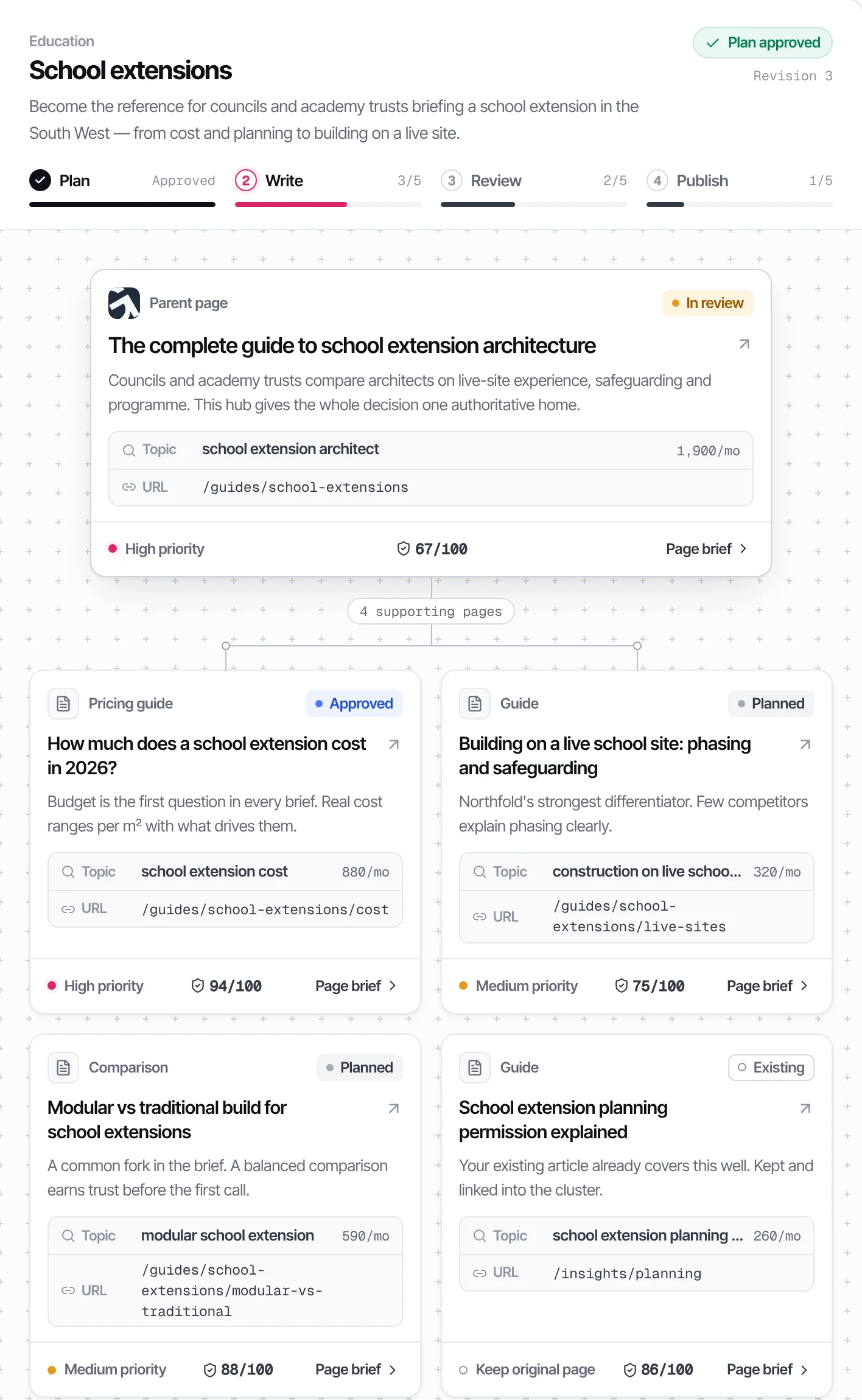
Every page arrives with a brief.
Before writing begins, each page has a format, a search topic, a purpose and a planned URL. With keyword data connected, monthly search volume appears beside topics that match it. Edit any of it; the writer follows what you approve.
- Formats that fit the question
- Topic hubs, guides, comparisons, service pages, use cases and pricing explainers, each with an intent and an outline.
- Priority and readiness
- Each page shows its priority and its current readiness score.
- Existing pages respected
- Pages you already have are kept, or marked for improvement, rather than written twice.
Approve the plan, then build it.
A cluster plan is versioned like a page. You approve a specific revision of the structure, and Geoffice researches and drafts the cluster from that revision, parent page first, so supporting pages can link to it.
- Plan, write, review, publish
- Progress for each stage is shown above every cluster.
- Drafted together
- Building a cluster drafts its pages in order, with the others as context.
- Published in order
- Parent pages go live first, and publishing the whole cluster connects its links.
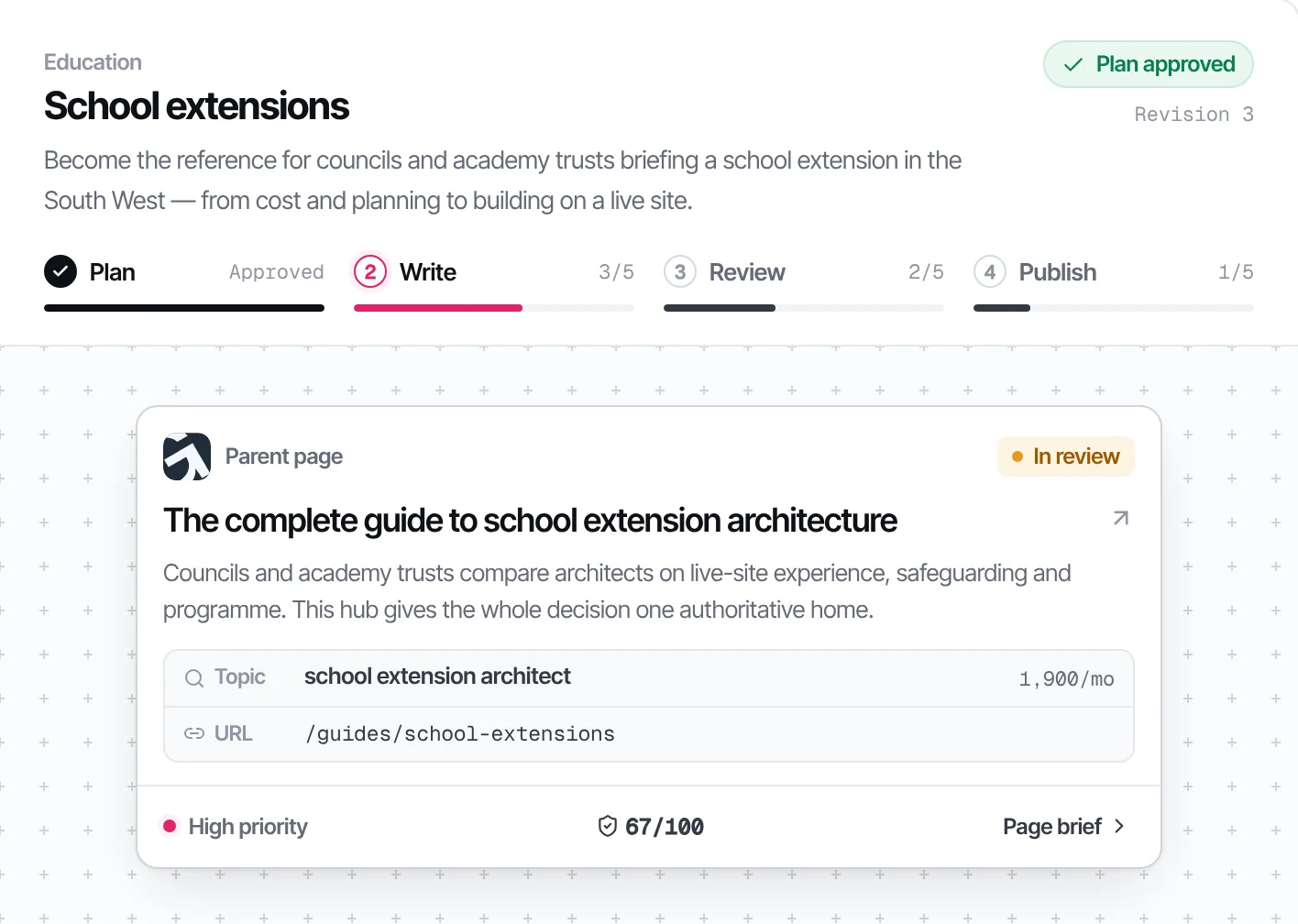
A page with a parent, a purpose and a planned URL is easier to write, easier to link and easier for a reader to find. The map is where that starts.
Built from what is already true about your business.
- Your website
- Geoffice reads your sitemap and public pages to learn what you already cover, so the map adds what is missing instead of repeating what exists.
- Your business profile
- Who you help, the market you serve, what your content should achieve and the language you write in.
- Your knowledge
- Confirmed expertise, case studies and constraints shape which pages are worth writing and what they should say.
- Search topics
- Each page targets its own search topic. Pages that target exactly the same topic are flagged before the plan is approved.
- Search volumes included
- Monthly search volumes and keyword ideas for your target market come with every plan, or from your own DataForSEO account if you connect one. Numbers appear only when the provider returns them.
Research again
Rerun research for the map when your offer changes or you add new knowledge.
Links planned up front
Parent and sibling links are part of the plan, so internal linking is never an afterthought.
Readiness per page
Each card shows a readiness score, so you can see which pages need attention first.
Questions, answered.
More in the full list of questions, or ask us directly.
Do I need keyword tools to use the map?
No. The map works from your website, your profile and live research, and search volumes for your market are included.
What happens to pages I already have?
They are recognised during the scan. The map can keep a page as it is, mark it for improvement, or propose a new page for a gap. Existing pages always keep their original URL.
Can I change the plan?
Yes. Edit titles, search topics, outlines and proposed URLs, then approve the revision you want built. Any edit creates a new revision that needs approving again. Once a page has a draft, its URL and search topic are locked so links stay valid.
How big is a cluster?
Each research pass proposes one to three clusters. A cluster has one parent page and between one and five supporting pages, so two to six pages in all. Research again whenever you want to map more of a subject.
Keep exploring
Become the source.
Add your website and see what seven AI assistants say about you today, then have your first pages written. Seven days free, no card needed.