See what changed. Decide what’s next.
Results brings your real search data into the same place as your content. Compare equal periods, see which pages moved, and work through specific improvements. Then send your client a report.
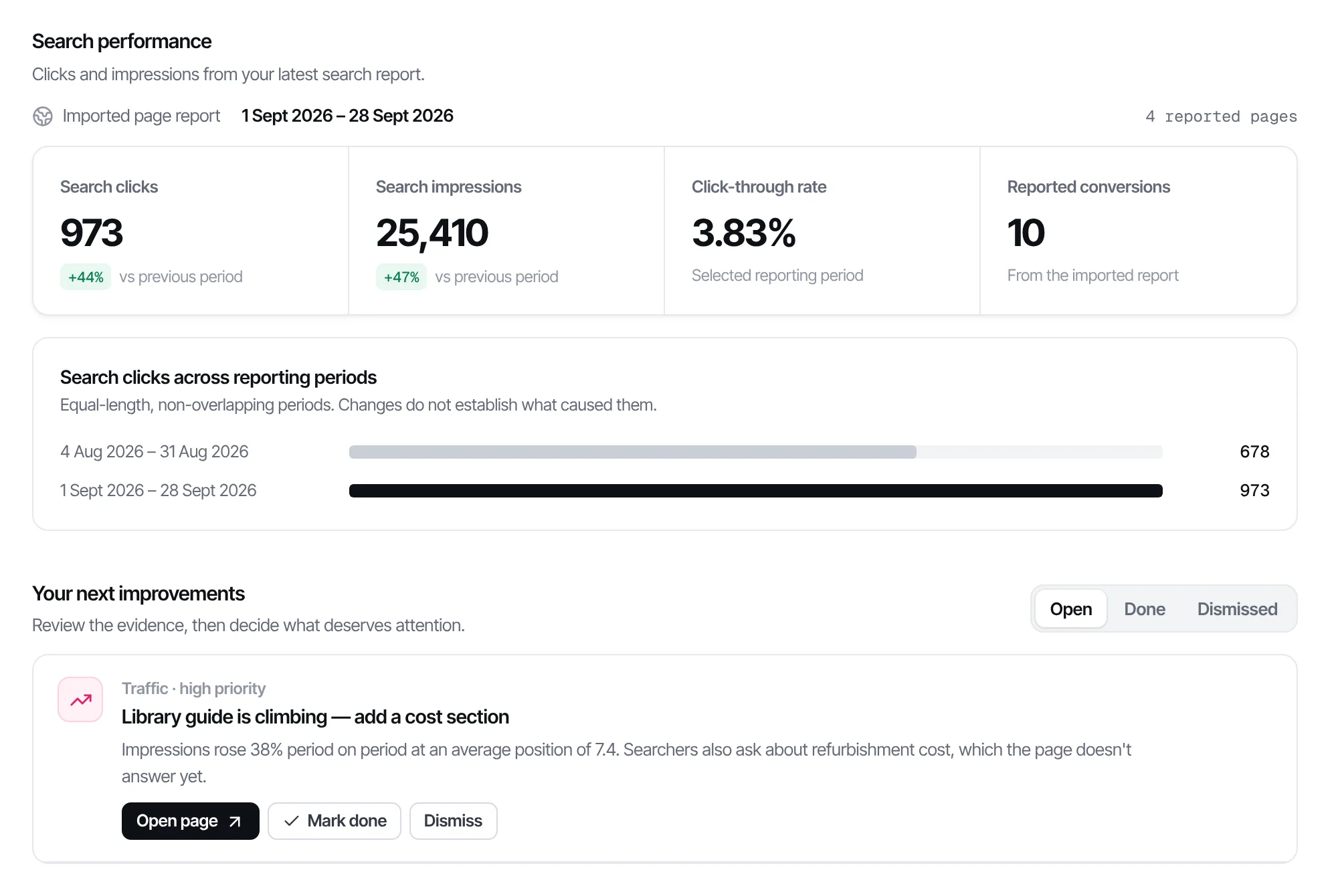
Search Console, connected or imported.
Connect a Search Console property with a read-only service account, or import the Pages report as a CSV. Either way, the numbers are Google’s, not estimates.
- Connect Search Console
- An owner connects the property with a read-only Google service account. Geoffice syncs final data for two equal 28-day periods, so changes are compared like for like.
- Or import a report
- Export the Pages report from Search Console and import it: clicks, impressions, average position and, if you track them, conversions or leads.
- What you see
- Clicks and impressions compared with the previous period from the same source, click-through rate and reported conversions for the period, and your top pages in the report.
- What you don’t
- No invented traffic, no modelled rankings. Comparisons don’t claim to explain what caused a change.
Specific next steps, not a dashboard to stare at.
Geoffice reviews the pages you manage and raises improvements with the reason and the page attached. Mark each one done or dismiss it; dismissed improvements stay dismissed.
- Traffic falling
- Clicks down by more than 30% on a page with a meaningful base.
- Low click-through
- Plenty of impressions but under 1% clicked: the title and description need work.
- Live problems
- A published page failing its live checks, or a source that no longer exists.
Seven reasons to look again at a page.
Falling traffic
Clicks down by more than 30% on the previous period.
Weak snippet
High impressions with a click-through rate under 1%.
Ageing page
Published and not updated for more than 90 days.
Broken source
A cited source that now returns not found.
Missing links
A page with no planned links to the rest of its cluster.
Unanswered questions
Facts the draft needed that are still missing.
Failed live checks
A published page that failed its latest live check.
About once a week, Geoffice re-checks cited sources and syncs Search Console on its own. It suggests; it never changes a page without you.
A client report in one click.
Download a clean report with the latest clicks, impressions and click-through rate, every managed page and its status, and the top open recommendations. Send it as it is, or use it to run your next client meeting.
- What changed
- The activity log records approvals, publications, imports, edits to the plan and client responses.
- AI visibility alongside
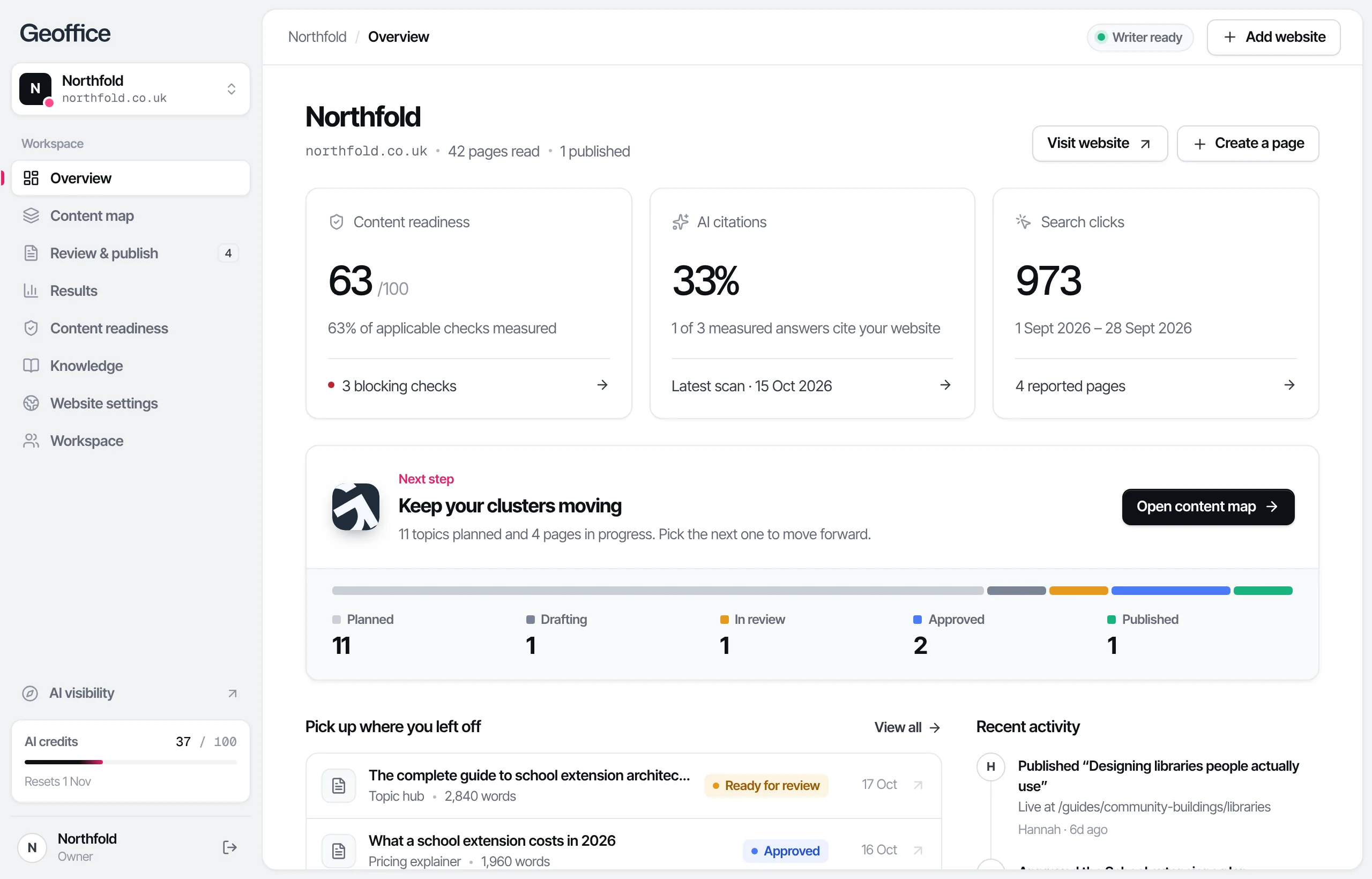
- Where tracking is set up, Results shows mention and citation rates beside search performance.
Questions, answered.
More in the full list of questions, or ask us directly.
Do I need Search Console?
It is the best source, but not required. You can import a Pages report as a CSV instead, or start without performance data and add it later.
How is Search Console connected?
With a Google service account that has read-only access to your property. An owner adds the key in Geoffice; it is encrypted on our server.
Does Geoffice track rankings?
It shows average position from Search Console, per page. It doesn’t run its own rank tracking or estimate traffic.
Do syncs and improvements use credits?
No. Search Console syncs, imports, audits and reports are free.
Keep exploring
Become the source.
Add your website and see what seven AI assistants say about you today, then have your first pages written. Seven days free, no card needed.